
Download Samsung Magician – SSD optimization, firmware update, drive health monitoring, data migration, secure erase, Samsung SSD tool
Overview
Samsung Magician is a specialized utility software designed for users of Samsung Solid State Drives (SSDs). Its primary purpose is to enhance SSD performance, ensure long-term reliability, and streamline drive management tasks. The application addresses common challenges associated with SSD maintenance, including outdated firmware, declining performance, and the risk of unexpected drive failure. By offering a centralized platform for monitoring and optimization, Samsung Magician helps users maintain peak efficiency and data integrity across their storage systems.
The target audience includes both casual users and advanced PC enthusiasts who rely on Samsung SSDs for daily computing, content creation, or system performance. Whether upgrading to a new drive or maintaining an existing one, the software provides actionable insights and tools to support optimal drive health. For users transitioning from traditional hard drives to SSDs, Samsung Magician simplifies the migration process and ensures a seamless experience.
Developed by Samsung, a globally recognized leader in semiconductor and storage technology, the software reflects the company’s commitment to user-centric innovation. The application is available at no cost, making it accessible to a broad user base. While specific technical details about system integration or backend processes were not provided, the software’s functionality aligns with industry standards for SSD management tools.
Key Features & Functionality
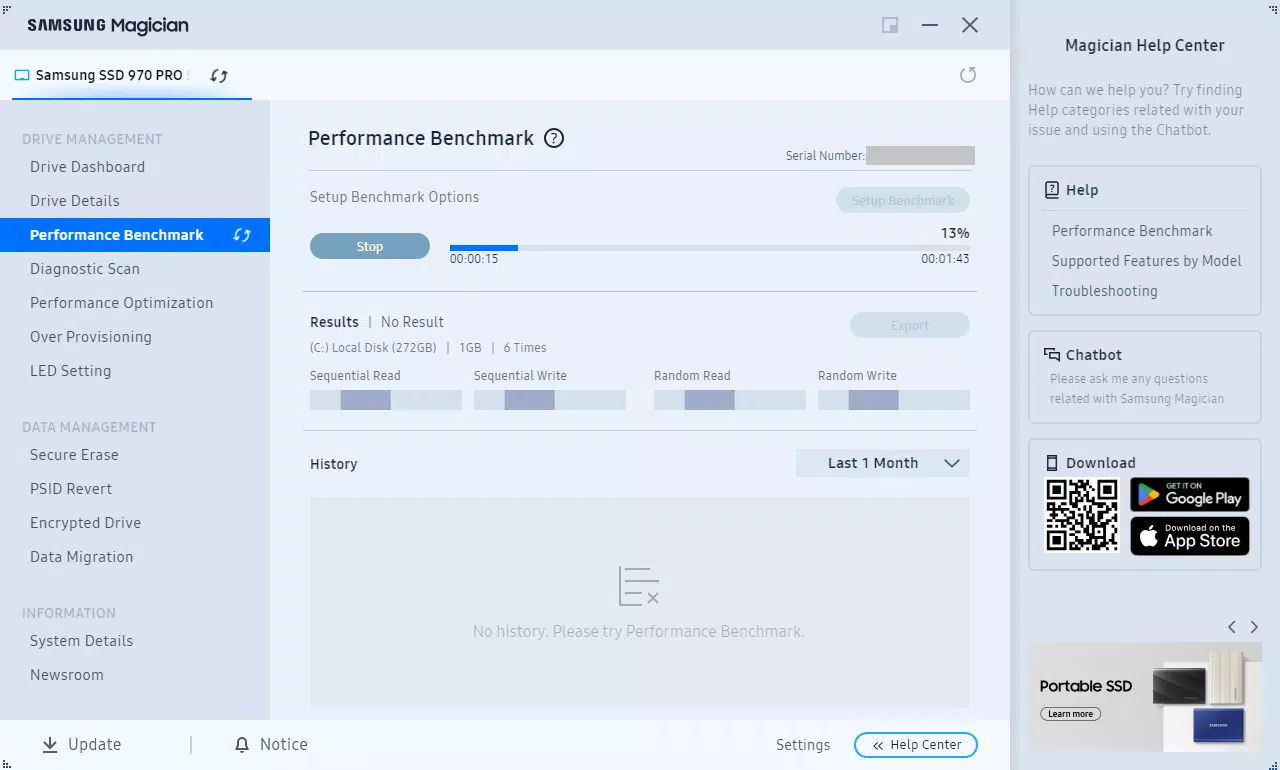
- Performance Optimization: Samsung Magician analyzes system configurations and identifies potential bottlenecks affecting SSD performance. It offers tailored recommendations to improve read/write speeds and overall responsiveness, helping users achieve consistent performance over time.
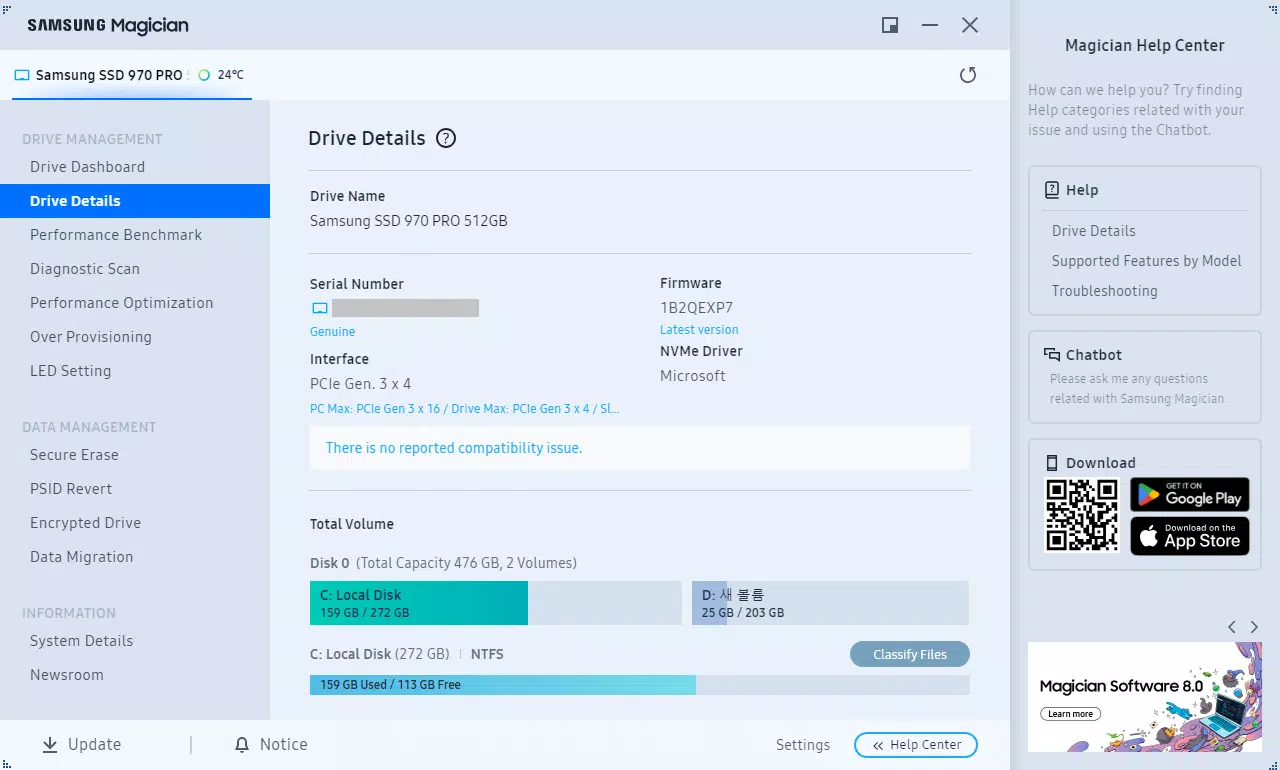
- Firmware Updates: The software automatically detects available firmware updates for connected Samsung SSDs. Users can download and install updates directly through the interface, ensuring their drives benefit from the latest stability improvements and security patches.
- Health Monitoring: Real-time monitoring of critical SSD attributes—such as temperature, wear level, and remaining lifespan—enables proactive maintenance. Early warnings for potential issues help users prevent data loss and extend drive longevity.
- Data Migration Tools: Designed for drive upgrades, this feature allows users to transfer operating systems, applications, and personal files from an old drive to a new Samsung SSD with minimal effort. The process is guided and optimized for speed and reliability.
- Secure Erase Functionality: For users replacing or repurposing drives, Samsung Magician provides a secure erase option that permanently removes all data. This ensures sensitive information cannot be recovered, making it ideal for privacy-conscious users and enterprise environments.
Each feature is designed with real-world scenarios in mind. For example, a content creator upgrading their workstation can use the data migration tool to transfer their entire project library in a single session. Similarly, a business user preparing to decommission a drive can use secure erase to comply with data protection policies.
Interface, UX & Performance
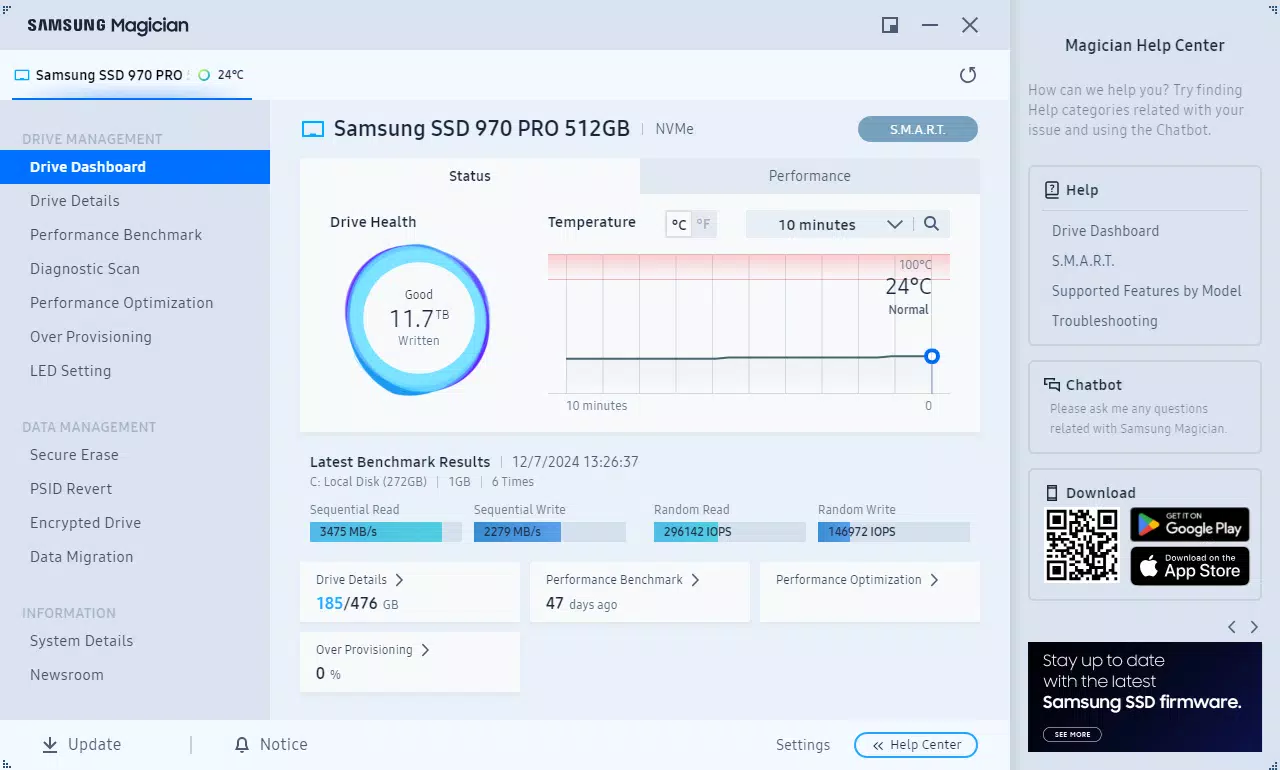
Samsung Magician features a clean, intuitive interface that prioritizes clarity and ease of navigation. The dashboard presents key metrics—such as drive health status, firmware version, and performance scores—in a visually accessible format. Users can quickly identify critical information without needing technical expertise.
Navigational flow is straightforward, with clearly labeled sections for each major function. Menus are logically organized, allowing users to access performance tools, update utilities, and health diagnostics with minimal clicks. The software responds promptly to user inputs, maintaining a smooth interaction experience.
Although the developer did not list formal performance metrics, the application operates efficiently within standard Windows environments. It consumes minimal system resources, ensuring it does not interfere with background tasks or system performance. Stability is maintained across various device configurations, though specific compatibility details were not disclosed.
Platform Compatibility & Technical Requirements
Samsung Magician is designed exclusively for the Windows operating system. It supports current and recent versions of Windows, though the developer did not specify exact OS requirements. The software has a file size of 35.7 MB, which is relatively lightweight for a utility application of its scope.
Given its targeted functionality, the application is optimized for systems equipped with Samsung SSDs. While the developer did not provide detailed hardware specifications, the software is expected to function on standard desktop and laptop configurations with compatible drives. Users are advised to verify compatibility with their specific SSD model before installation.
Pros and Cons
Pros
- Free to download and use, making it accessible for all users.
- Comprehensive suite of tools tailored specifically for Samsung SSDs.
- Intuitive interface suitable for both novice and advanced users.
- Real-time health monitoring helps prevent data loss.
- Secure data erasure ensures privacy and compliance.
Cons
- Available only for Windows, limiting use on macOS or Linux systems.
- Specific system requirements were not listed.
- Does not support non-Samsung SSDs.
- Limited to Samsung drive management, reducing versatility.
- Update frequency and release cycle were not disclosed.
FAQ
Is Samsung Magician safe to download and install?
Yes, Samsung Magician is a legitimate software tool developed by Samsung. It is available through official channels and does not contain malware or intrusive behavior.
Can I use Samsung Magician on multiple SSDs?
Yes, the software supports multiple Samsung SSDs connected to the same system, allowing users to manage and monitor each drive individually.
Does Samsung Magician work on macOS or Linux?
No, Samsung Magician is currently available only for Windows operating systems.
How often should I update my SSD firmware using Samsung Magician?
It is recommended to check for firmware updates periodically, especially after major system changes or when prompted by the software.
Can I uninstall Samsung Magician after using it?
Yes, the software can be uninstalled like any standard Windows application. It does not leave behind persistent system changes.
Final Thoughts
Samsung Magician stands out as a reliable, feature-rich utility for managing Samsung SSDs. Its combination of performance optimization, firmware updates, health monitoring, and secure data erasure makes it an essential tool for anyone using a Samsung SSD. The software’s free availability, intuitive design, and targeted functionality deliver strong value to both everyday users and technical professionals.
While its Windows-only availability and lack of support for non-Samsung drives are notable limitations, these constraints are expected given its specialized focus. For users invested in Samsung’s storage ecosystem, the benefits far outweigh the restrictions.
Download Samsung Magician now


